
Ship your backend with OpenAI Codex 
Hand Codex a backend task from your terminal. It writes the XanoScript, Xano runs it on production-grade infrastructure, and you review every change before it goes live.

Context, not guesswork
One command adds the Xano Developer MCP to Codex. It reads your schemas, endpoints, and XanoScript rules, so the backend it writes follows the platform instead of improvising.

A sandbox for every task
Codex pushes its work to an isolated sandbox with the Xano CLI. Test it against real infrastructure and review it in the browser before anything touches your live workspace.

Production from day one
Postgres, auth, APIs, background jobs, and scaling are already handled. Codex focuses on the logic, and Xano keeps it running.

From terminal to production
with Codex
- 1
Add Xano to Codex.
Install the Xano CLI, then add the Developer MCP to Codex with a single command. Pull your workspace locally so Codex has real context to work from.
- 2
Describe the task.
Tell Codex what the backend needs - a table, an API group, a scheduled job - and it writes XanoScript against your workspace, validating each change with the Developer MCP as it goes.
- 3
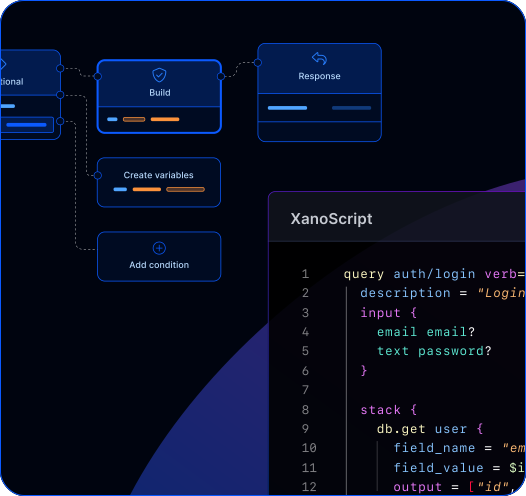
Review in a sandbox.
Push to a sandbox with the CLI, check what got built in Xano, and promote it to your live workspace when it looks right.
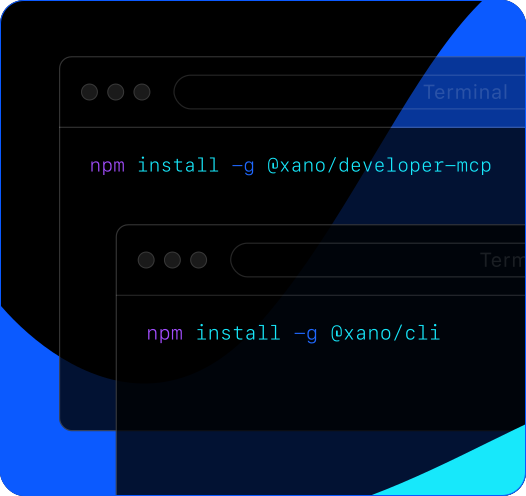
Add Xano to Codex.
Install the Xano CLI, then add the Developer MCP to Codex with a single command. Pull your workspace locally so Codex has real context to work from.
Describe the task.
Tell Codex what the backend needs - a table, an API group, a scheduled job - and it writes XanoScript against your workspace, validating each change with the Developer MCP as it goes.
Review in a sandbox.
Push to a sandbox with the CLI, check what got built in Xano, and promote it to your live workspace when it looks right.


Everything Codex needs to ship real backends


Let Codex write the backend.
Let Xano run it.
Frequently asked questions
Run codex mcp add xano -- npx -y @xano/developer-mcp and restart any open Codex sessions. To check it worked, ask Codex which version of the Xano Developer MCP is installed. Then pull a workspace with the Xano CLI and Codex is ready to build. The Codex setup guide has the details.
Yes. Pull the workspace with the Xano CLI and Codex works from your existing schemas, endpoints, and logic. Ask it to add a feature to what you’ve already built, not just start a new project.
Structured context about your Xano workspace - database schemas, API endpoints, existing logic, and platform capabilities - plus the rules for writing valid XanoScript. Codex checks its own output against them, so what it generates is architecturally correct, not just syntactically correct.
Push the changes to a sandbox with xano sandbox push, then run xano sandbox review to open it in the browser. You see every table, endpoint, and function Codex created in the Xano editor, and you promote the changes to production from there. Nothing goes live until you say so.
Yes. The Developer MCP works with any tool that supports MCP, including Claude Code, Cursor, Windsurf, and Gemini CLI. Teams also build on Xano in the Xano editor or in XanoScript by hand - no AI required.
Yes. Codex writes the logic, but Xano provides the infrastructure - scalable Postgres, auth, background jobs, and automatic deployment. AI-generated code runs on the same production-grade stack as everything else on Xano, so scaling is handled at the platform level.
Everything Codex generates is visible, editable, and portable. Refine it in Canvas View or the code editor, or branch and rework it by hand. You’re never locked into output you can’t understand or change.
Sign up for Xano
Join 100,000+ people already building with Xano.
Start today and scale to millions.
Start building for free